
How to Avoid Double Bookings in Your Rental Business: The Ultimate Guide
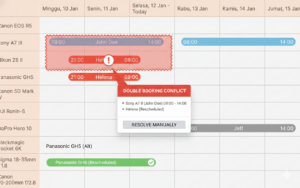
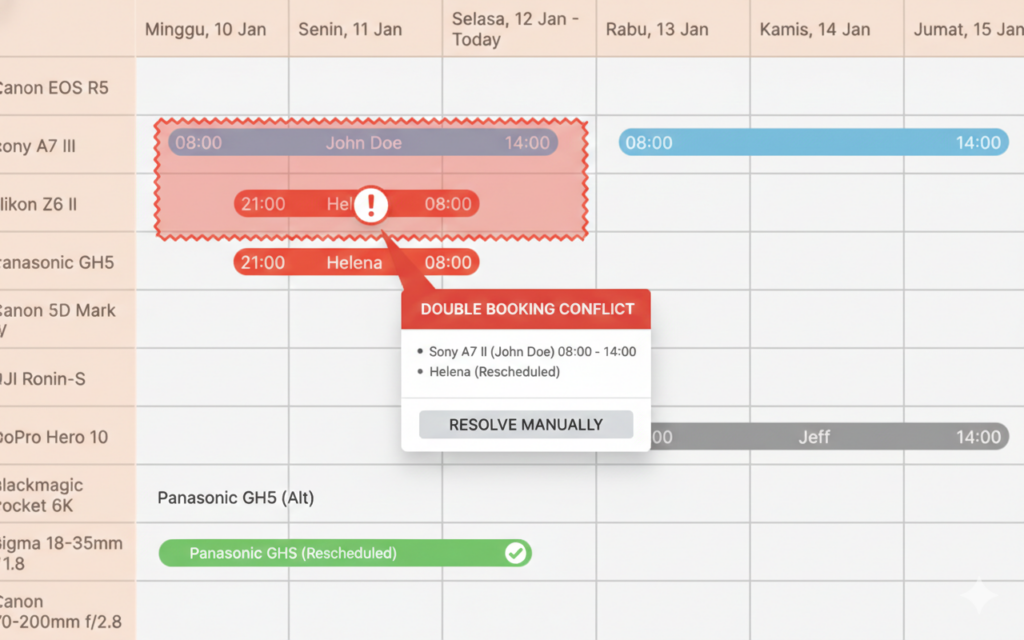
In the fast-paced world of rental management, few things are as stressful as a double booking. Imagine a customer arriving to pick up a camera, a vehicle, or a piece of equipment, only for you to realize that it’s already been rented out to someone else.
Double bookings don’t just cause operational headaches; they damage your reputation and lead to lost revenue. If you want to scale your business, you need a foolproof system to avoid double bookings in rentals.
In this guide, we’ll explore the root causes of scheduling conflicts and how modern tools like Rentalize can automate your way to a stress-free operation.
Why Do Double Bookings Happen?
Most rental businesses start with manual tracking—think spreadsheets, paper logs, or even memory. As your business grows, these “old school” methods become your biggest liability. Common causes include:
- Delayed Updates: A customer calls to book an item, but the spreadsheet isn’t updated immediately.
- Multi-Channel Conflicts: You receive a booking via WhatsApp and another through your website at the same time.
- Human Error: Simple typos or misinterpreting dates can lead to overlapping schedules.
5 Proven Strategies to Avoid Double Bookings
1. Centralize Your Inventory Management
The first step to avoiding overlaps is having a “single source of truth.” Instead of checking three different apps to see if a product is available, use a centralized dashboard.
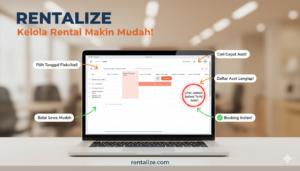
Rentalize’s Real-Time Inventory Management ensures that once an item is booked, it is automatically marked as unavailable across all your platforms. Whether you have one unit or dozens of branches, the system tracks every item’s status in real-time.
2. Implement Real-Time Availability Calendars
Don’t make your customers ask, “Is this available?” Give them the answer upfront. By integrating a real-time calendar on your website, you prevent customers from even attempting to book an item that is already occupied.
With the Rentalize Custom Website feature, you get a professional storefront where availability is synced automatically. If an item is rented out for the weekend, it disappears from the available list instantly.
3. Sync Your Online and Offline Channels
If you have a physical shop and an online website, you need them to talk to each other. Manual syncing is prone to errors.
If you already use a WordPress site, the Rentalize WordPress Plugin Pro allows you to embed booking forms and real-time calendars directly. This ensures that a walk-in customer and an online customer never fight over the same piece of equipment.
4. Use Automated Notifications for Confirmation
Communication gaps often lead to “ghost” bookings or accidental double-entries. Automated confirmations act as a final check for both you and the customer.
Rentalize utilizes Automated WhatsApp Notifications. The moment a booking is confirmed, both you and the client receive a detailed message. This transparency ensures that the booking is logged correctly and visible to everyone on your team.
5. Transition to QR Code Tracking
Sometimes, double bookings happen because an item wasn’t properly checked back in. Using QR codes for check-in and check-out minimizes these errors.
By scanning a product’s unique QR code via the Rentalize app, the system updates the inventory status the second the item leaves or returns to your warehouse. No more guessing whether “Item A” is back in stock.
Take Control of Your Rental Business Today
Double bookings are a sign that your business is growing—but they are also a sign that your current system can’t keep up. Transitioning to an automated platform like Rentalize doesn’t just save time; it protects your brand’s integrity.
Ready to say goodbye to scheduling conflicts?
Explore Rentalize Features and see how our AI-powered platform can streamline your operations, from automated finance reports to smart AI chats.
Start Your Free Trial with Rentalize Today!
Keyword focus: avoid double bookings rentals, rental management software Indonesia, real-time inventory tracking.